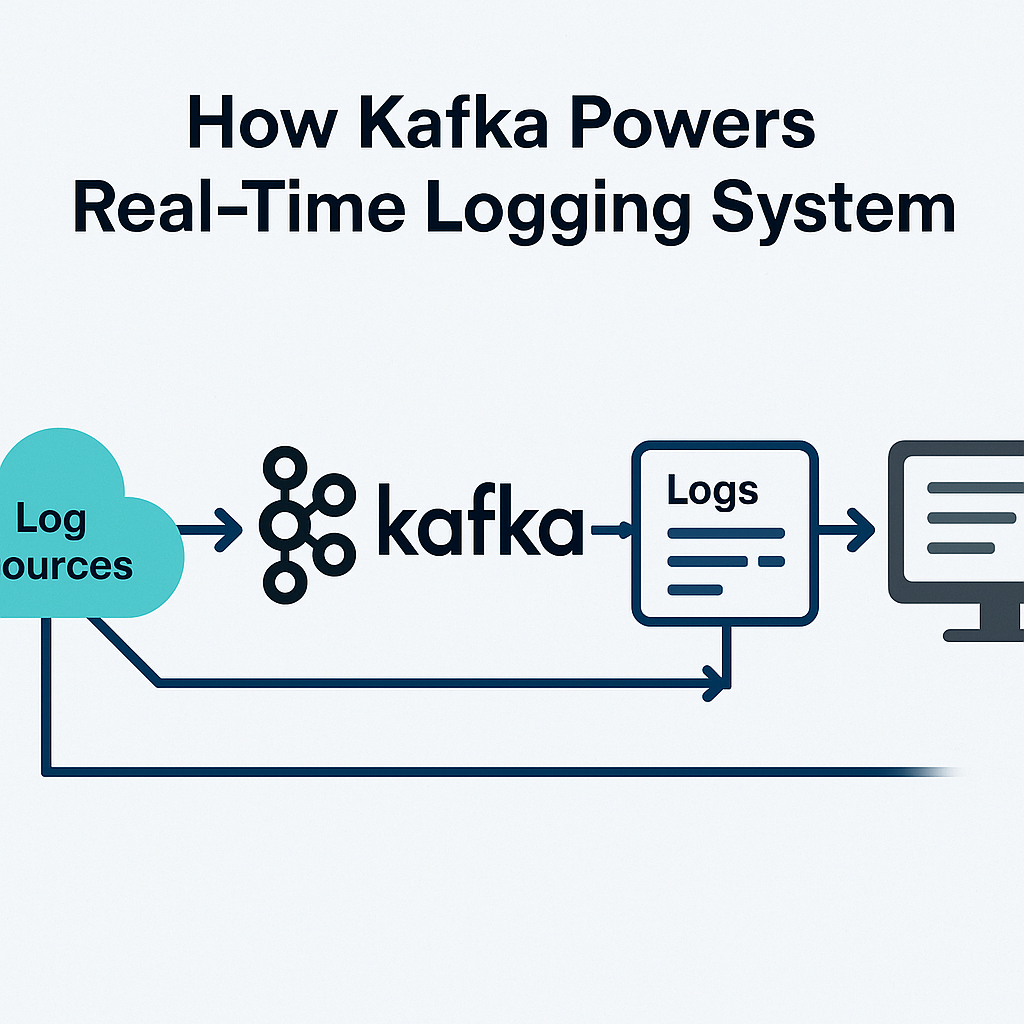
Imagine you have a web application that tracks users’ activities: when they log in, what pages they visit, or when an error occurs. You want to store and process this data in real-time, so you can monitor it, find problems, or make decisions quickly.
That’s where Apache Kafka comes in. Kafka helps you manage large amounts of real-time data like user activity logs, and Go makes it easy to build the system. In this guide, we’ll show you how to create a simple real-time logging system.
What is Kafka?
Kafka is a tool that helps you manage and process real-time data, like logs. It works like this:
- Producer: Sends data (like logs) to Kafka.
- Consumer: Reads that data from Kafka and does something with it (like sending an alert or storing it for reports).
- Broker: The server where Kafka stores the data.
- Topic: A category where the data is stored in Kafka.
Why Kafka for Logging?
Let’s say your web application needs to track user activities like logins and page views. You want to store those logs and process them in real-time. Kafka makes this possible by:
- Storing log messages (like “User logged in” or “Error on page”) in a topic.
- Allowing you to consume these logs in real-time (for analysis, alerts, or reports).
- Making sure the data is safe and accessible, even if the system crashes.
Now, let’s look at how to create a Producer and a Consumer in Go for a simple logging system.
Producer
Producer Code: Sending Logs
package main

import (
 "encoding/json"
 "fmt"
 "log"

 "github.com/Shopify/sarama"
)

type LogMessage struct {
 Timestamp string `json:"timestamp"`
 Level     string `json:"level"`
 Message   string `json:"message"`
}

func main() {
 // Setup Kafka producer
 config := sarama.NewConfig()
 config.Producer.Return.Successes = true

 producer, err := sarama.NewSyncProducer([]string{"localhost:9092"}, config)
 if err != nil {
  log.Fatalf("Error creating producer: %v", err)
 }
 defer producer.Close()

 // Create a sample log message
 logMessage := LogMessage{
  Timestamp: "2025-02-21T14:45:00",
  Level:     "INFO",
  Message:   "User logged in successfully",
 }

 // Serialize the log message to JSON
 message, err := json.Marshal(logMessage)
 if err != nil {
  log.Fatalf("Error serializing message: %v", err)
 }

 // Send the message to Kafka topic 'user-logs'
 partition, offset, err := producer.SendMessage(&sarama.ProducerMessage{
  Topic: "user-logs",
  Value: sarama.ByteEncoder(message),
 })

 if err != nil {
  log.Fatalf("Error sending message: %v", err)
 }

 // Print where the message was stored
 fmt.Printf("Message stored in partition %d, offset %d\n", partition, offset)
}- Producer Setup: We create a Kafka producer that connects to Kafka.
- Log Message: We define a log message with details like timestamp, log level (e.g., INFO), and the actual message.
- Sending to Kafka: The log is sent to a Kafka topic called
user-logs, where it will be stored and available for consumption.
Consumer —
Consumer Code: Reading and Processing Logs –
package main

import (
 "encoding/json"
 "fmt"
 "log"

 "github.com/Shopify/sarama"
)

type LogMessage struct {
 Timestamp string `json:"timestamp"`
 Level     string `json:"level"`
 Message   string `json:"message"`
}

func main() {
 // Setup Kafka consumer
 config := sarama.NewConfig()
 config.Consumer.Return.Errors = true

 consumer, err := sarama.NewConsumer([]string{"localhost:9092"}, config)
 if err != nil {
  log.Fatalf("Error creating consumer: %v", err)
 }
 defer consumer.Close()

 // Subscribe to the 'user-logs' topic
 partitionConsumer, err := consumer.ConsumePartition("user-logs", 0, sarama.OffsetNewest)
 if err != nil {
  log.Fatalf("Error subscribing to topic: %v", err)
 }
 defer partitionConsumer.Close()

 // Process each log message
 for message := range partitionConsumer.Messages() {
  var logMessage LogMessage
  err := json.Unmarshal(message.Value, &logMessage)
  if err != nil {
   log.Printf("Error decoding message: %v", err)
   continue
  }

  // Print the log message
  fmt.Printf("Log received: %s\n", logMessage.Message)

  // Trigger an alert if it's an error
  if logMessage.Level == "ERROR" {
   fmt.Println("ALERT: Critical error detected!")
  }
 }
}- Consumer Setup: We create a Kafka consumer that connects to Kafka and subscribes to the
user-logstopic. - Reading Logs: The consumer reads logs one by one from Kafka.
- Processing Logs: When a log is read, it’s checked. If the log level is
ERROR, an alert is triggered.
Kafka Helps with Logging System
- Storing Logs: Kafka stores log messages in topics and partitions. This way, logs are organized and can be retrieved later.
- Real-time Processing: The consumer can read the logs in real-time, which is important for quickly detecting errors or monitoring user activity.
- Scalability: Kafka can handle large volumes of data, which is essential as your web application grows.
Conclusion
Using Kafka for logging in your application allows you to stream data in real-time. With Kafka, you can track user activities like logins, page views, and errors, and react immediately if something goes wrong. In this simple example, we saw how to send logs from a Go-based web application to Kafka and then process them in real-time using a Go consumer.
If you’re building a web app or any system that needs to handle lots of data, Kafka is a great tool to keep your logs organized and easily accessible.
Thank you for reading! 😊
Stay connected and stay updated on the latest trends in technology by connecting with me on LinkedIn.
For more insightful articles and updates, feel free to visit my Medium profile.
Happy coding and keep innovating! 🚀