
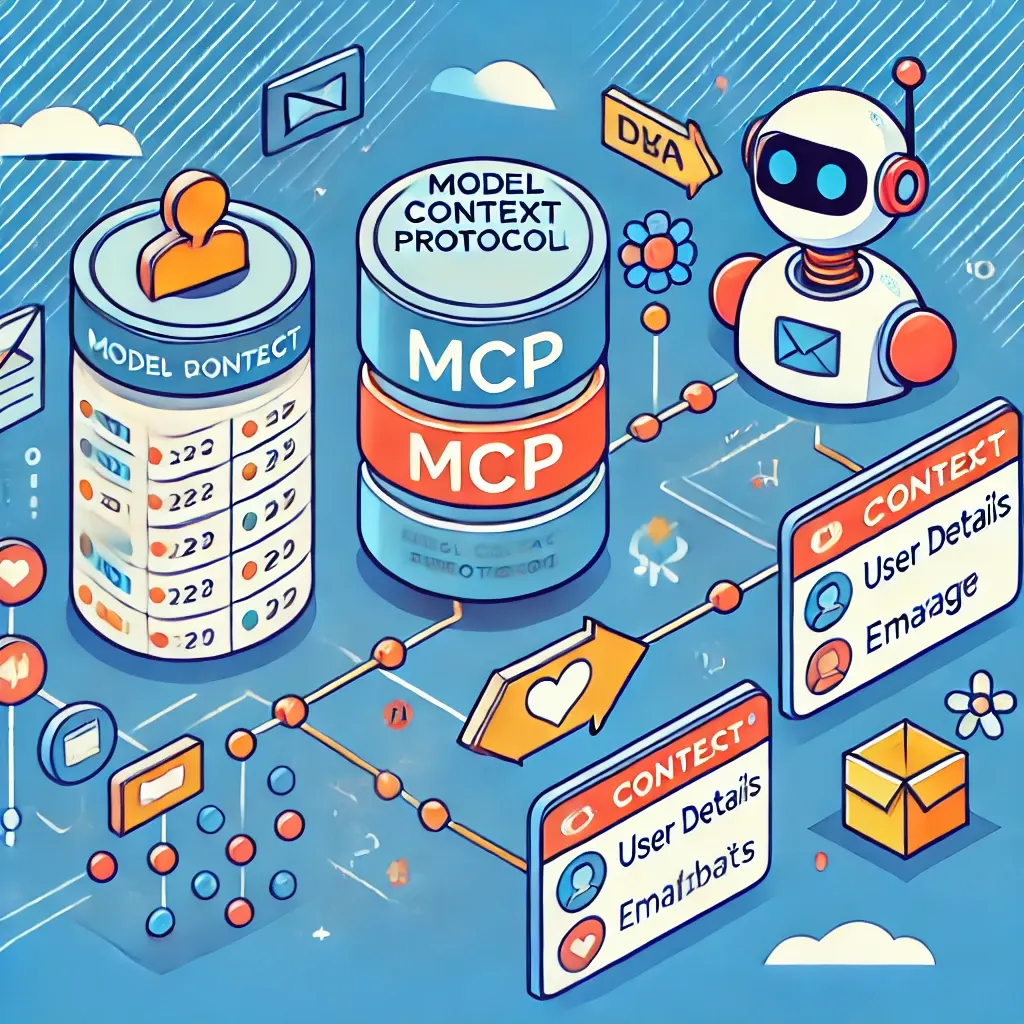
Introduction
In modern AI-driven applications, maintaining context across different services and models is crucial for efficiency and accuracy. Model Context Protocol (MCP) is a structured approach to managing context between different system components. It ensures that models share relevant information effectively, reducing redundant computations and improving user experiences.
What is Model Context Protocol (MCP)?
MCP is a mechanism that enables different models, services, or AI agents to share and store context efficiently. It is particularly useful in chatbots, recommendation engines, autonomous systems, and distributed AI applications.
Key Components of MCP
- Context Storage: Stores user session data and metadata.
- Context Manager: Handles updates and retrievals of context.
- Context Consumers: Services or models that use stored context to improve decision-making.
- Context Providers: AI models or components that generate new context to be stored.
- Security & Access Control: Ensures that context is shared securely among authorized services.
How Does MCP Work?
- User Interaction Begins: A user initiates an action (e.g., a chatbot query).
- Context Retrieval: The system fetches any existing context related to the user.
- Processing & Update: AI models process the request and update the context accordingly.
- Response Generation: The system provides an improved response based on the stored context.
- Context Persistence: The updated context is stored for future use.
⚠️ Challenges in MCP
- Context Overhead: Excessive context storage can lead to increased latency and resource consumption.
- State Inconsistency: Poor context management may result in outdated or conflicting data.
- Security Vulnerabilities: Improper handling of sensitive context data can pose privacy risks.
- Synchronization Complexity: Ensuring consistency across distributed systems requires robust coordination mechanisms.
Entity-Relationship (ER) Diagram for MCP
Below is an ER diagram to visualize how the Model Context Protocol works:
+----------------+          +-------------------+
|     Users      |          |    Context Store  |
|----------------|          |-------------------|
| user_id (PK)   |<-------->| context_id (PK)   |
| name           |          | user_id (FK)      |
| email          |          | session_data      |
+----------------+          | metadata          |
                            +-------------------+
                                     |
                                     v
                              +----------------+
                              | Context Logs   |
                              |----------------|
                              | log_id (PK)    |
                              | context_id (FK)|
                              | action_taken   |
                              | timestamp      |
                              +----------------+
Explanation of ER Diagram
- Users Table: Stores user details with a unique
user_id. - Context Store Table: Manages stored context for each user, linking it via
user_id. - Context Logs Table: Keeps track of changes made to the context, allowing auditing and debugging.
Chatbot with MCP and ER Diagram
Chatbots rely on MCP to remember previous interactions and maintain a smooth conversation flow. Below is how a chatbot integrates with MCP:
Chatbot Workflow
- User Message Received: The chatbot processes user input.
- Retrieve Context: The chatbot checks the stored context for previous messages.
- Generate Response: The chatbot tailors its response based on prior interactions.
- Update Context: The new conversation state is stored.
- Respond to User: The chatbot provides a relevant reply.
ER Diagram for Chatbot with MCP
+-----------------+         +-------------------+
|     Users      |          |    Chatbot Context|
|----------------|          |-------------------|
| user_id (PK)   |<-------->| context_id (PK)   |
| name           |          | user_id (FK)      |
| email          |          | last_message      |
+----------------+          | intent_detected   |
                            | timestamp         |
                            +-------------------+
                                     |
                                     v
                              +----------------+
                              | Chatbot Logs   |
                              |----------------|
                              | log_id (PK)    |
                              | context_id (FK)|
                              | message_sent   |
                              | response_sent  |
                              | timestamp      |
                              +----------------+
Explanation of Chatbot ER Diagram
- Users Table: Stores user information.
- Chatbot Context Table: Maintains the last conversation state for each user.
- Chatbot Logs Table: Records message history and bot responses for tracking and analysis.
Benefits of MCP
✅ Enhances AI Model Performance — Ensures AI models operate with prior knowledge, reducing redundant processing.
✅ Optimizes Resource Usage — Stores reusable context to avoid unnecessary computations.
✅ Improves Personalization — Enhances user experiences in recommendation systems, chatbots, and AI-driven applications.
✅ Scalability — Works seamlessly across distributed systems and microservices.
Use Cases of MCP
- Chatbots & Virtual Assistants: Maintain conversation history for a smooth experience.
- Recommendation Engines: Store user preferences for better product or content recommendations.
- Autonomous Vehicles: Share sensor context for better decision-making.
- Healthcare AI: Keep track of patient history to improve diagnostics.
Simple MCP Implementation in TypeScript
Here’s a simple TypeScript implementation of an MCP service:
interface ModelContext {
  userId: string;
  sessionId: string;
  previousResponses: string[];
  metadata?: Record<string, any>;
}

class ModelContextService {
  private contextStore: Map<string, ModelContext> = new Map();  setContext(userId: string, context: ModelContext) {
    this.contextStore.set(userId, context);
  }  getContext(userId: string): ModelContext | undefined {
    return this.contextStore.get(userId);
  }  clearContext(userId: string) {
    this.contextStore.delete(userId);
  }
}// Example Usage
const mcpService = new ModelContextService();mcpService.setContext("user123", {
  userId: "user123",
  sessionId: "session456",
  previousResponses: ["Hello", "How can I help you?"],
});console.log(mcpService.getContext("user123"));
ref link —
https://modelcontextprotocol.io/introduction
https://github.com/modelcontextprotocol
https://github.com/modelcontextprotocol/typescript-sdk
Conclusion
Model Context Protocol (MCP) is a powerful approach for managing context in AI-driven applications. By implementing an MCP system, businesses can optimize their AI performance, improve personalization, and enhance overall efficiency. Whether in chatbots, recommendation engines, or autonomous systems, MCP plays a crucial role in ensuring seamless and intelligent interactions.
Want to implement MCP in your next AI project? Start small, build your context storage, and watch your AI become smarter! 🚀
Thank you for reading! 😊
Stay connected and stay updated on the latest trends in technology by connecting with me on LinkedIn.
For more insightful articles and updates, feel free to visit my Medium profile.
Happy coding and keep innovating! 🚀

Leave a Reply